Many companies have already digitized their time tracking. Employees record their start and end times, breaks, and project hours via a terminal, an app, or at their computer workstation. More on time tracking.
At the same time, the sick leave process is often still handled separately:
👉 Employees can report sick by phone, email, or through Messenger,
👉 HR or the external payroll office retrieves the electronic sick leave certificate,
👉 Managers are notified manually
👉 and the absence will be added later to the time account or pay stub.
While this means that one subprocess is digital, the overall process of time tracking and sick leave reporting remains prone to errors. Time tracking records attendance and working hours, sick leave reports generate absences, and the eAU provides digital proof. If these areas are managed separately, it leads to data inconsistencies, duplicate entries, and unclear status information.
✅ The better solution is an integrated process: time tracking, sick leave notifications (eAU), attendance, absences, time accounts, and payroll are all managed centrally. This creates a seamless time management system that reduces the workload on HR, provides managers with greater transparency, and offers employees clear processes.
⚠️ Why Attendance and Absences Should Be Considered Together
Time tracking is often understood primarily as an attendance process. Employees clock in, clock out, and log breaks. This results in working hours, overtime, time accounts, and premium pay. For companies, this forms the basis for transparency, payroll processing, and working time compliance in light of the upcoming legislation on mandatory time tracking in Germany. Learn more.
However, sick leave reports are part of the other side of the same time management system. As soon as an employee is unable to work, an absence is recorded. This absence also affects time accounts, shift scheduling, staff scheduling, payroll, and operational management.
If you manage attendance and absences separately, you’ll quickly lose track of things:
⚡️ An employee may still appear as “scheduled” in the time tracking system even though they have submitted a sick leave request.
⚡️ Managers are planning based on incorrect availability data.
⚡️ HR has to correct the data manually.
⚡️ The billing department receives information late or incomplete.
That is why companies should not view time tracking and sick leave reporting as two separate processes. Both are part of a single system:
👉 Who’s here?
👉 Who’s absent?
👉 What evidence is available?
👉 What are the implications for time accounts, scheduling, and payroll?
🤔 What is the eAU, and what role does it play in the process?
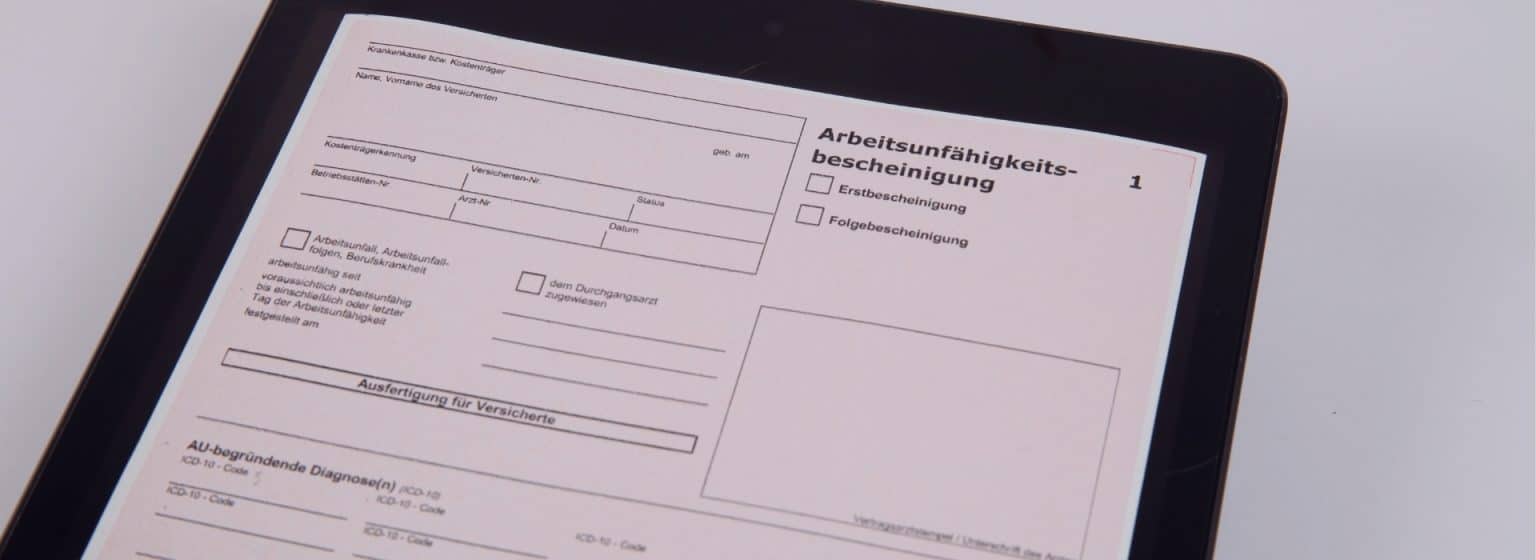
The electronic certificate of incapacity for work (eAU) replaces the previous paper-based certificate for employers of employees with statutory health insurance. The doctor ‘s office transmits the incapacity for work data electronically to the health insurance fund. Employers do not automatically receive this data from their employees, but retrieve it electronically from the respective health insurance fund (ITSG).
🚨Important: The eAU does not replace the internal sick leave notification. Employees must continue to inform their employer of their inability to work. Only once a sick leave notification specifying a specific time period has been submitted and an employment relationship exists can the employer request the sick leave data from the health insurance provider.
👉 For companies, this means that the eAU is not the entire sick leave reporting process, but rather a digital documentation component within that process. The actual efficiency gains are realized only when the sick leave notification is digitally recorded internally, the eAU request is initiated, the response is processed, and the absence is directly transferred to time tracking, the time account, and payroll.
🌐 How can time tracking and sick leave reporting be digitized?
The best way for companies to digitize time tracking and sick leave reporting is to consolidate attendance and absences into a single, integrated digital time management process. Work hours are recorded digitally as usual. Sick leave notifications are also recorded digitally or, at the very least, in a structured manner. Based on the sick leave notification, the eAU is retrieved electronically in the background. The confirmed or pending absence then becomes visible in the system and affects the time account, absence overview, staff scheduling, and payroll.
A good process, therefore, does more than just answer the question of whether an employee is on sick leave. It provides transparency on the following points:
✅ Who is currently here?
✅ Who is absent?
✅ What type of sick leave was reported?
✅ Which eAU was requested?
✅ What feedback has been received?
✅ How does an absence affect the time account, scheduling, and payroll?
👉 It is precisely this connection that turns a digital sick leave report into a manageable HR process.
🪨 Why Individual Digital Building Blocks Aren't Enough
Many companies are already using individual digital components. Time tracking is done digitally, sick leave forms are submitted electronically, and absences are documented somewhere. Nevertheless, the process remains time-consuming if these components do not work together.
The problem lies not in the digitization of individual steps, but in the lack of integration. If sick leave notifications, eAU queries, time accounts, absences, and payroll are processed separately, manual data transfers will continue to occur.
✅ An integrated process resolves this issue. The sick leave notification triggers the process. The absence becomes visible in the time management system. The eAU query is tracked, and the resulting responses from the GKV server are processed. As a result, the time account, scheduling, and payroll all use the same database.
🔗 Which areas should be connected?
A complete process involves several functional areas:
🤝 Attendance tracking,
🤝 Breaks and work-time accounts,
🤝 digital sick leave notification,
🤝 eAU retrieval,
🤝 Absence Management,
🤝 Staff Scheduling (more on this),
🤝 Payroll,
🤝 Reporting and Analysis
🤝 as well as role and permission models.
💡 It is crucial that attendance and absences are not tracked in separate data systems. Both must be consolidated into a single time management system.
🛑 Common Mistakes in the Digitization of Sick Leave Notifications
1️⃣ A common mistake is to equate the eAU with the entire sick leave process. However, the eAU primarily replaces the paper documentation. Internal sick leave reporting, absence management, and processing in the time account and scheduling systems must still be organized properly.
2️⃣ Another mistake is the lack of a status model. Without clear statuses such as “reported,” “requested,” “confirmed,” or “discrepancy,” HR quickly loses track of things. Managers are also often brought in too late. Sick leave not only affects the HR department but also frequently impacts shifts, work schedules, cover arrangements, and operational capacity.
Finally, many companies underestimate the importance of interfaces. If sick leave is ultimately entered manually into payroll, a significant portion of the potential for efficiency remains untapped.
💡 Which solution is right for businesses?
Even for companies with just a few employees, a solution that combines time tracking, digital sick leave reporting, the eAU process, and absence management into a single, seamless workflow is ideal.
Such a solution should
✅ Reliably track attendance,
✅ Record sick leave requests in a structured manner,
✅ Track eAU inquiries
✅ and process absences directly in the time account, scheduling, and payroll.
It is also important to have a clear role model.
📄 Employees report their inability to work.
📄 HR manages eAU requests and status.
📄 Managers can see absences that are relevant to their teams.
📄 The payroll department receives verified data.
👉 This creates a process that not only digitizes the eAU but also improves time management overall.
🚨 Be sure to observe data protection and permissions
Sick leave reports and data on inability to work are sensitive. Companies should therefore define clear access rights. Not every manager needs to have access to all the details. At the same time, relevant absence information must be available for planning and management purposes.
As is already the case with paper-based certificates of incapacity for work, employers do not receive any diagnostic information through the eAU process. Only the incapacity-for-work data relevant to the employer is transmitted. Specific diagnoses or details regarding the nature of the illness are not transmitted.
👉 A digital system should therefore always be role-based. HR needs different information than managers or employees.
✅ Well-defined authorization policies enhance data protection, transparency, and acceptance.
🤓 Conclusion: Digital time tracking combines attendance, absences, and eAU
Time tracking and sick leave should not be considered separately. Time tracking records attendance, working hours, breaks, and time accounts. Sick leave results in absences. The eAU complements the digital verification process.
The greatest benefits are realized when all three areas are integrated. Companies gain a centralized view of employee attendance and absences, reduce manual work, can respond more quickly, and the payroll department works with consistent data.
✅ This makes the eAU not just an electronic record, but an integral part of modern time management. Companies that combine sick leave notifications, eAU, and time tracking into a single process achieve greater transparency, better data quality, and more efficient HR processes.
💡FAQ: Digitizing Time Tracking and Sick Leave Reporting
How can time tracking and sick leave reporting be digitized?
Companies are digitizing time tracking and sick leave reporting by digitally recording attendance in an integrated system, systematically logging sick leave reports, electronically retrieving eAU data, and transferring absences directly into time accounts, scheduling, and payroll. A prerequisite for this is that the digital time tracking software includes a module for retrieving eAU data with a certified interface to ITSG or DATEV.
Why should attendance and absences be managed together?
Because both areas are part of time management. Attendance records show when employees are working. Absences show when employees are unavailable. Only when combined do they provide a complete picture for HR, managers, and payroll.
What is the difference between a sick note and an eAU?
A sick leave notification is when an employee informs their employer that they are unable to work. The eAU is the corresponding electronic proof that the employer can access through the health insurance provider.
Do employees still have to report sick even if they have an eAU?
Yes, employees must continue to notify their employers of their inability to work. Employers may only request eAU data once a sick leave notification has been submitted and an employment relationship is in effect.
Is the eAU sent to the employer automatically?
No, employers retrieve the eAU data electronically from the health insurance provider. It is not automatically transmitted to the employer without cause.
What information does the employer receive via the eAU?
Employers receive only the data relevant to the employee’s inability to work. Diagnostic information or details regarding the nature of the illness are not disclosed.
Why should the eAU be linked to time tracking?
Because sick leave affects time accounts, absence reports, staff scheduling, and payroll. Integrating these systems reduces duplicate data entry and improves data quality.
How is a sick leave report reflected in the time account?
A sick leave report can initially be marked as a reported absence. Once the eAU confirmation has been processed, the absence is confirmed—for example, as “Sick with continued pay”—and is reflected in the time account and in the relevant reports.
What role does staff scheduling play?
Sick leave requests affect staff availability and shifts. When absences are immediately visible through the sick leave process, managers can respond more quickly and schedule replacements in staff scheduling. Learn more.
Which systems should be integrated?
It makes sense to integrate the system with time tracking, absence management, staff scheduling, payroll (such as DATEV, HS, and SAP), HR systems, and reporting. This creates a seamless process without the need for duplicate data entry.