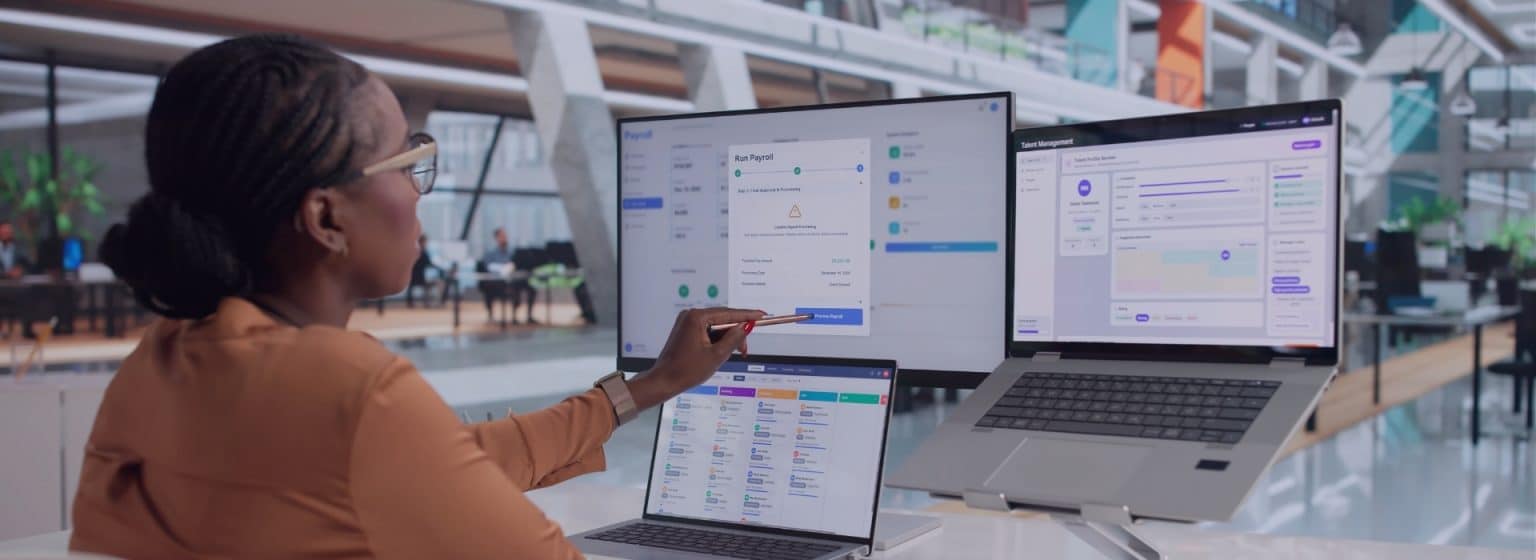
Time tracking interfaces automate data transfer between time tracking systems and payroll processing as well as HR systems. This allows working hours to be transferred to systems such as DATEV or other payroll programs without any manual steps in between.
👉 This reduces errors, saves time, and ensures transparent and consistent processes.
⚠️ Why Interfaces Are Just as Important Today as Time Tracking
Many companies have now digitized their time tracking. Nevertheless, time data is often still processed manually: working hours are exported, checked in Excel, and then transferred to payroll or an HR system. This change in data format wastes time and increases the risk of data entry errors.
The true added value of modern time-tracking software therefore does not come solely from tracking work hours, but from its integration into the existing system landscape. Only when work hours are automatically transferred to payroll, HR systems, ERP solutions, or controlling systems can end-to-end digital processes be created. Here: Time tracking software from ZMI.
For companies, this means less administrative work, higher data quality, and significantly faster processing of time data. At the same time, the HR department, managers, tax advisors, and employees all benefit from a unified database.
Today, small and medium-sized businesses in particular rarely have a standalone software environment. Instead, various systems work together—from time tracking to staff scheduling (more on this) to payroll processing. Interfaces ensure that these systems don’t just operate side by side, but work together.
🔗 What types of systems can typically be integrated?
A modern time tracking system should integrate seamlessly into existing business processes. This is no longer just about payroll. Depending on the size and organizational structure of the company, time data is now shared with numerous other applications.
Typical integrations include, among others:
✅ Payroll
✅ HR Management Systems (HRM Systems or HRIS)
✅ ERP Systems and Industry-Specific Software
✅ Project and Order Management
✅ Business Intelligence Solutions
✅ Access Control
✅ Identity and Authorization Systems
✅ Custom business applications via APIs
The better these systems work together, the less manual administrative work is required.
Category: Payroll
Typical Integration: Certified Interface
Typical data: Transaction data such as working hours, premium pay, and absences
Category: Payroll
Typical Integration: Certified Interface
Typical data: Transaction data such as working hours, premium pay, and absences
Category: Payroll
Typical Integration: Interface
Typical data: Transaction data such as working hours, premium pay, and absences
Category: Payroll
Typical Integration: Interface
Typical data: Transaction data such as working hours, premiums, and absences
Category: Payroll
Typical Integration: Interface
Typical data: Transaction data such as working hours, premium pay, and absences
Category: Payroll / ERP
Typical Integration: Interface
Typical data: Transaction data such as working hours, premium pay, absences, and order data
Category: Payroll / ERP
Typical Integration: Interface
Typical data: Employee master data , transaction data, order data
Category: HRM
Typical Integration: API / Data Exchange
Typical Data: Employee Master Data
Category: HRM
Typical Integration: API / Data Exchange
Typical Data: Employee Master Data
Category: HRM
Typical Integration: API / Data Exchange
Typical Data: Employee Master Data
Category: ERP
Typical Integration: Interface
Typical Data: Order Data
Category: ERP
Typical Integration: Interface
Typical Data: Order Data
Category: Industry-Specific ERP
Typical Integration: Interface
Typical data: Employee master data, transaction data
Category: Project Management
Typical Integration: Interface
Typical Data: Order Data
Category: REST API / CSV
Typical Integration: Custom Integration
Typical data: Depending on the application
In addition to standard integrations, modern time-tracking solutions often support open REST APIs or standardized import and export formats. This allows for flexible integration with existing enterprise systems and enables the implementation of custom integrations. Here: Time tracking by ZMI.
📄 What data is transmitted via interfaces?
When companies think of an interface, they often think first of work schedules. In fact, significantly more information is exchanged between systems today. Depending on the target system, the following data, among other things, can be transferred:
✅ Employee Master Data
✅ Departments
✅ Organizational Structures
✅ Start and End of Work
✅ Breaks
✅ Overtime
✅ Premium pay
✅ Time accounts
✅ Absences
✅ Vacation time
✅ Sick leave
✅ Cost centers
✅ Projects
✅ Orders
👉 This eliminates the need to maintain identical information in multiple places. Changes to master data or work schedules do not need to be entered multiple times and are made available to all relevant systems in a timely manner.
🚨 Why DATEV Is the Most Important Interface for Many Companies
For many small and medium-sized businesses, DATEV is at the heart of their payroll processing. Consequently, there is a strong desire to automatically transfer work hours to DATEV.
Without a certified DATEV interface, work hours often have to be exported, checked, and then manually imported or edited. This takes time and increases the risk of data entry errors.
A direct interface ensures that time data with pay rates can be provided in a structured format for payroll processing. This automates recurring tasks and improves data quality.
In particular, companies with multiple locations, shift work, or complex work schedules benefit from automated transfer of time data.
🔍 Real-World Examples: How Companies Benefit from Integrated Interfaces
Use Case 1:
85% less effort in payroll processing thanks to the DATEV interface
MAGAZINER Lager- und Fördertechnik GmbH used to track its employees’ working hours using time cards. For payroll processing, the data then had to be manually transferred and prepared—a time-consuming and error-prone process.
With the introduction of digital time tracking and integration with DATEV, the processed time data is now automatically made available for payroll processing. The exchange file is generated without manual intervention and sent directly to the tax advisor. At the same time, employees benefit from a self-service portal for tracking work hours and submitting vacation requests, which has significantly reduced the number of inquiries to the HR department.
✅ The result: Payroll processing has been accelerated by approximately 85%, while transparency, data quality, and process reliability have improved significantly and sustainably. Managers and administrative staff receive structured reports and can manage work and project hours much more efficiently.
Use Case 2:
Craft Businesses with Project Time Tracking
A small business tracks work hours on a project-by-project basis. In addition to payroll processing, the hours worked are also used for post-project cost analysis and project management.
Employees use the app to log their work hours—whether at their desks or on the go—directly to projects and assignments. Through the interface, both payroll-related time data and project-related information are automatically transferred to the connected systems.
👉 This eliminates the need to enter project hours twice. At the same time, up-to-date data is available for post-project costing, controlling, and invoicing.
Use Case 3:
Chain of stores with a central human resources department
A company operates several branches in different locations. Work hours are tracked locally, but the human resources department is based at the company’s headquarters.
Thanks to centralized time tracking, all time data is automatically fed into payroll. On-site managers can approve time adjustments and absence requests, while the HR department can access consolidated reports centrally at any time.
👉 The result is standardized processes, shorter billing cycles, and significantly greater transparency across all locations.
🧐 What Companies Should Look for in a Time Tracking Interface
Not every interface offers the same range of features. Before choosing a time-tracking software, it’s therefore worth taking a close look at the integration options.
Key selection criteria include:
✅ Standard interfaces to common payroll and HR systems
✅ Open REST API for custom integrations
✅ Support for various import and export formats
✅ Automatic synchronization of master data
✅ Traceable logging of all data transfers
✅ Role and Permission Models
✅ Easy setup of new interfaces
✅ Scalability for additional systems and locations
An open integration strategy pays off, especially in the long term. Companies are constantly evolving their software environments. A flexible time tracking solution should therefore be able to integrate with new systems just as easily as with existing applications. Here: Time tracking by ZMI.
💡Interfaces as the Foundation for Digital HR Processes
Today, time tracking is much more than just recording when employees arrive, leave, and take breaks. Work time data forms the basis for numerous HR processes, such as payroll, staff scheduling, and project management.
The better these systems are integrated with one another, the lower the administrative burden becomes. At the same time, data quality improves because information is entered only once and then processed automatically.
👉 For companies, this means greater transparency, faster processes, and a significantly lower risk of errors.
🤓 Conclusion: Interfaces save time and create end-to-end processes
Modern time-tracking software should integrate seamlessly into the existing IT infrastructure. Standard interfaces with payroll software, HR systems, ERP solutions, and reporting tools reduce manual tasks and create a unified database.
Integration with DATEV and other payroll systems, in particular, offers significant potential. Working hours do not need to be entered or transferred multiple times; instead, they are automatically made available for payroll processing.
In addition, interfaces with HR systems, project management, staff scheduling, and business intelligence solutions ensure that time data can be utilized throughout the entire company. Anyone investing in a time tracking system today should therefore consider not only the software’s features but also its ability to integrate with other systems.
💡FAQ: Time Tracking Interfaces
How often should a time tracking interface transfer data?
That depends on the company’s processes. For many companies, daily synchronization makes sense in terms of order and project timelines. Payroll-related data is often reviewed before the monthly payroll run and is therefore transferred only once a month at the end of a payroll period.
How long does it take to set up an interface?
The duration depends on the number of systems to be integrated and the quality of the master data. Standard interfaces can often be set up within a few hours. For custom integrations or complex system landscapes, implementation may take correspondingly longer.
What data is transferred to DATEV or other payroll software?
Depending on the configuration, the data transferred includes, among other things, working time balances, premium pay, overtime, absences, time accounts, and other payroll-related transaction data. The specific data that is actually transferred depends on the company’s requirements and the payroll software in use.
How much does an interface cost?
Many standard interfaces are included in the scope of the respective software or can be used as add-on modules. Custom integrations via APIs or custom developments may involve additional effort. Companies should therefore assess early on which standards are already available and what additional requirements exist.
How are errors detected during data transmission?
Modern interfaces log data transfers and provide notifications about faulty exports or incomplete data records. This allows problems to be identified and resolved early on, before they affect payroll processing or downstream processes.
Can multiple systems be connected at the same time?
Yes, modern time-tracking software supports the simultaneous integration of multiple systems, such as payroll, HRM systems, ERP systems, and business intelligence solutions. This creates a seamless digital flow of information without the need for duplicate data entry.